In this article
AI document processing can turn invoices and purchase orders into proposed structured records. Validation, duplicate checks, approval and audit history determine whether those records are safe to use in a business system.
A supplier sends an invoice as a PDF. Someone opens it, checks the supplier name, copies the invoice number, enters the lines and asks a colleague to approve it. The repetitive typing is visible. The decisions around it are easier to overlook.
A useful AI document-processing project in the UAE should reduce avoidable handling without quietly removing those decisions. The aim is a dependable path from a document to a reviewed business record—not an impressive extraction demo that leaves staff to resolve every exception manually.
Distinguish OCR, extraction and workflow automation
OCR recognises text from an image or scanned document. Extraction attempts to organise that information into fields such as supplier, invoice date, currency and line items. Workflow automation moves a record through checks, approvals and integration steps.
These capabilities can be combined, but they should not be confused. Correctly recognising the characters in a bank account does not authorise a change to a supplier's payment details. Correctly extracting an invoice total does not establish that the invoice should be paid.
Start with a representative document sample
Collect authorised, suitably anonymised examples that reflect the work: clear PDFs, scans, different supplier layouts, multi-page invoices, credit notes and the languages your team receives. Include difficult examples rather than selecting only the cleanest documents for a demonstration.
Keep a separate set for evaluating the finished configuration. Staff should define the correct answers and relevant exceptions. If the evaluation sample is repeatedly adjusted to suit the tool, it becomes difficult to tell whether the system will handle documents it has not seen.
Define the output record before selecting a model
List the fields the receiving application needs and the rules for accepting them. Decide which identifiers must match an existing supplier or purchase order, which values may be blank and which require human review. Specify the difference between a document date, a received date and an accounting period.
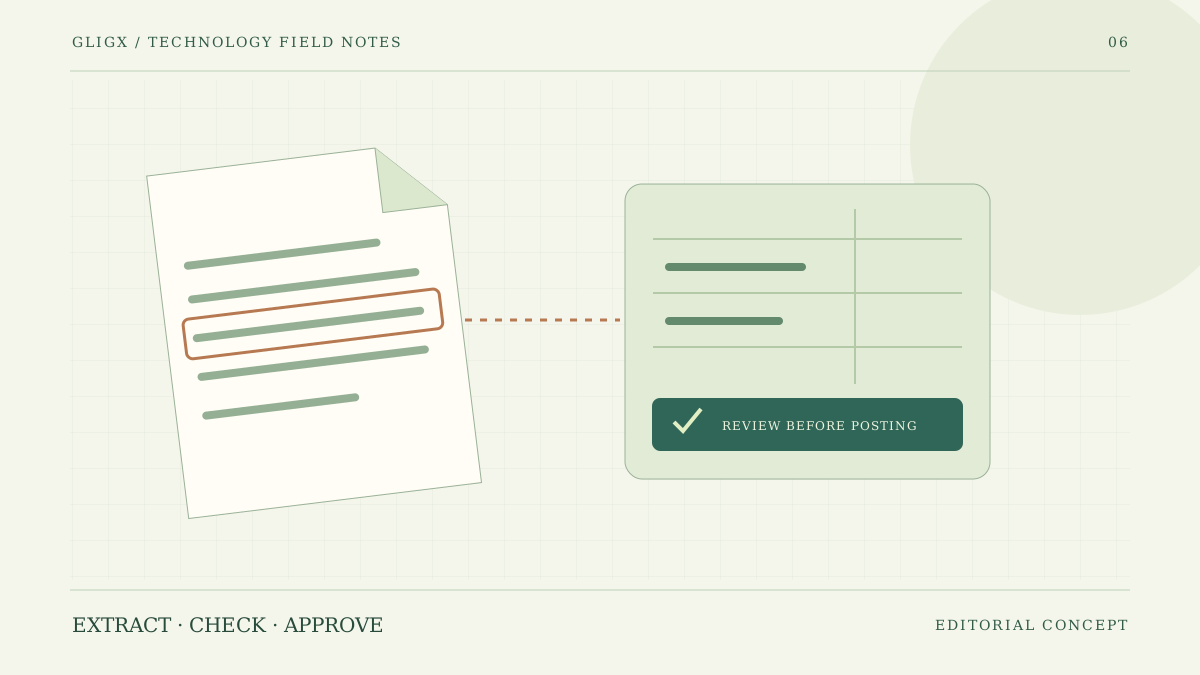
For line items, test quantities, units, discounts, taxes and totals against real business rules. A document with ten extracted lines is not necessarily correct if a continuation page was missed or the currency was inferred wrongly. Show reviewers the original page beside the proposed record.
| Control | Question it answers | Possible review route |
|---|---|---|
| Supplier matching | Is this the approved supplier record? | Finance checks uncertain matches |
| Duplicate detection | Has this document already been received? | Review the existing reference before posting |
| Amount reconciliation | Do the extracted lines and totals agree? | Return inconsistent values for correction |
| Purchase-order matching | Does the document fit the authorised order? | Route exceptions to the accountable owner |
| Integration receipt | Did the accounting system accept the record? | Keep an explicit pending or failed status |
Use confidence scores as a signal, not permission
Microsoft's Document Intelligence guidance describes confidence estimates for extracted results. Those estimates can help organise review, but a score is not an accounting control or a guarantee that the business meaning is right.
Evaluate fields separately. An uncertain invoice number may matter more to duplicate prevention than an uncertain descriptive note. Set review rules using observed errors and consequences, not one arbitrary threshold applied to every field. Measure whether staff can resolve the flagged cases efficiently.
Protect supplier and payment changes
Invoice automation should not automatically overwrite approved supplier master data. A document containing different bank details may be an innocent update, a mistake or a fraud attempt. Follow a separately approved verification process for payment-detail changes.
Keep extraction permissions distinct from approval and posting permissions. If a model proposes a field, record that it is a proposal until the required checks pass. A clear audit trail should show the original value, the suggested value, any human correction and the final approved record.
Plan safe intake and document storage
Uploaded documents are untrusted files. Apply appropriate size limits, type checks, security scanning and access controls. Keep sensitive files outside public website directories and use controlled download access. OWASP's file-upload guidance provides a security reference for this part of the design.
Also decide who can send documents into the process, how long originals and extracted data are retained and which external providers process them. Logs should help diagnose a failure without exposing full invoices or credentials to people who do not need them.
Keep UAE e-invoicing obligations separate
Extracting fields from a PDF does not turn that document into a compliant structured e-invoicing exchange. The UAE Ministry of Finance distinguishes structured e-invoices from unstructured formats. An OCR workflow can support internal handling, but it does not replace the relevant e-invoicing requirements or provider connection.
Where the business has both needs, create two workstreams with clear interfaces. One handles document intake and internal review. The other implements the required structured exchange and responses. Our ERP integration testing guide explains the second workstream.
Measure the work that remains after extraction
Compare the current process with the pilot using a consistent sample. Record correct fields, documents requiring correction, review time, duplicate records prevented and successful handovers to the receiving system. Report the sample size and document mix so the results can be interpreted.
Include subscription usage, integration costs, exception handling and maintenance when estimating value. A tool that extracts quickly but creates a queue of confusing exceptions may simply move work from data entry to investigation. Staff feedback is part of the evaluation, not an inconvenience to work around.
Build a small operational pilot
Choose one document type, one accountable team and one receiving system. Establish the review queue and error handling before increasing volume. Rehearse a provider outage, an unreadable file and an accounting-system timeout. Confirm how a document is resumed without creating a duplicate.
Document the manual fallback. If the extraction service is unavailable, staff need to know whether to hold documents, process a controlled queue or use an approved alternative. Recovering afterward should include reconciliation, not simply replaying everything that arrived during the outage.
For AI automation scoping, bring anonymised documents, the desired output fields, current approval rules and your accounting interface requirements. Gligx can discuss the application and integration work against that evidence. The related secure document-upload guide is a useful starting point for intake. Keep live financial documents out of a general website enquiry; arrange an appropriate review channel first.
Sources and further reading
External references checked on 2 November 2026. Project examples in this guide are illustrative, not reported client results.
Frequently Asked Questions
What is the difference between OCR and document automation?
OCR recognises text. Extraction organises it into proposed fields. Document automation also needs validation, review, approvals and integration with the business systems that use those fields.
Can high-confidence extraction be posted automatically?
A confidence score alone is not sufficient authorisation. Apply business rules, supplier and duplicate checks, and any required approval before posting a record to an accounting or operational system.
Should AI update supplier bank details from an invoice?
Not automatically. Payment-detail changes require a separately approved verification process. Extraction should not bypass supplier-master-data controls or the people responsible for them.
Does invoice OCR meet UAE e-invoicing requirements?
Not by itself. Extracting information from a PDF is different from the structured exchange described by the Ministry of Finance. Evaluate the relevant e-invoicing obligations as a separate workstream.