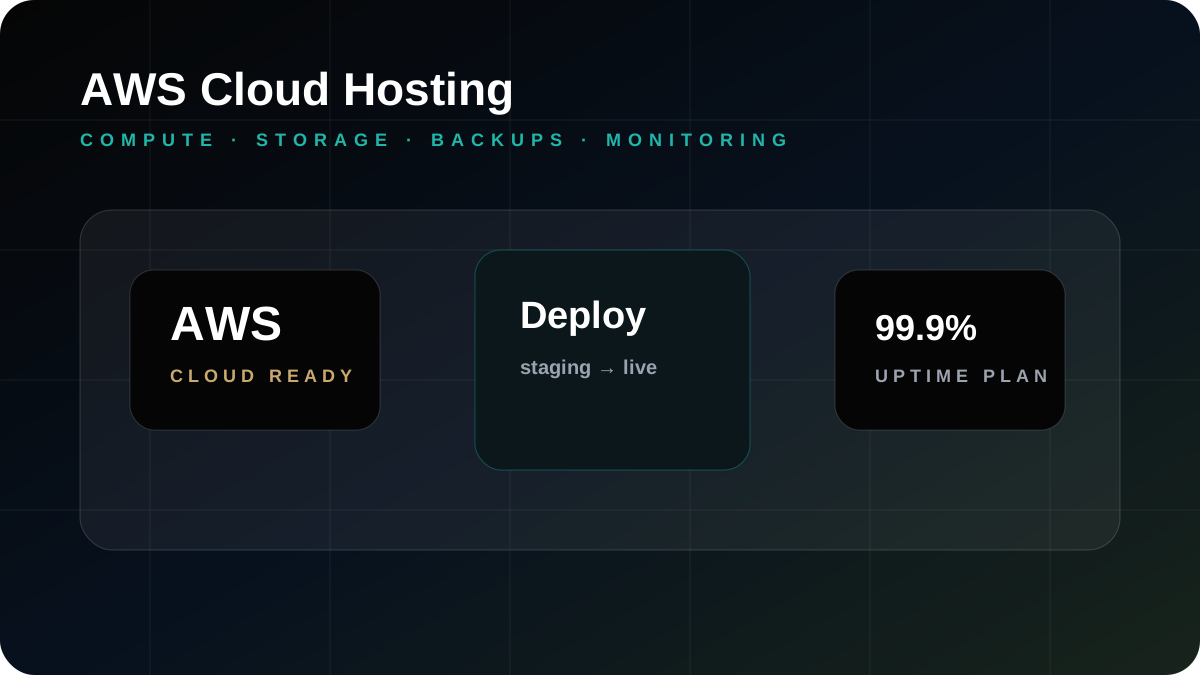
AWS cloud hosting can be a strong foundation for UAE businesses that depend on websites, custom software, eCommerce checkout, customer portals, APIs, databases, and mobile app backends. The important point is that AWS is not a magic upgrade by itself. A website becomes more reliable only when the architecture, access control, backups, monitoring, deployment process, and support responsibilities are planned properly.
Many companies in Dubai begin with shared hosting because it is affordable and quick to launch. That can work for brochure websites and small campaigns. The need for AWS usually appears when the website becomes business-critical, when a custom application needs a stable backend, when multiple team members need controlled access, or when the company wants better visibility over uptime, storage, database performance, and recovery planning.
When AWS cloud hosting makes sense
AWS is worth considering when the business needs more control than basic hosting can provide. Examples include customer portals, booking platforms, eCommerce stores, CRM systems, reporting dashboards, mobile app APIs, internal workflow applications, and websites that receive serious campaign or SEO traffic. In these situations, downtime is not only a technical problem; it can affect enquiries, sales, customer trust, and staff productivity.
Useful AWS service areas
A practical AWS setup may involve compute for the application, storage for files and media, managed database planning, DNS coordination, SSL, CDN-style delivery, backups, logs, monitoring, staging environments, and controlled access for developers or administrators. The right mix depends on the project. A corporate website does not need the same setup as an eCommerce platform or a multi-user business application.
Migration should not be rushed
A safe migration starts with discovery. The team should review files, database size, CMS behavior, forms, DNS, SSL, current email routing, redirects, cron jobs, third-party integrations, and existing SEO traffic. A staging environment should be tested before the final switch. After go-live, forms, payment flows, enquiry emails, admin login, page speed, and error logs should be checked. This is where an experienced implementation partner matters.
Security and access control
Good cloud hosting needs sensible access control. Not every developer, vendor, or staff member should have the same level of access. Businesses should plan who can access the server, database, backups, DNS, deployment tools, and monitoring alerts. Password handling, update routines, SSL, firewall rules, and backup access should be treated as part of the hosting service rather than an afterthought.
Cost control and right-sizing
AWS can be flexible, but flexibility can also create unnecessary cost if resources are left unmanaged. The environment should be sized for the workload, reviewed after launch, and adjusted as traffic or application usage changes. For many UAE businesses, the best AWS setup is not the most complex one. It is the one that is stable, understandable, secure enough for the requirement, and supportable over the long term.
Where AWS connects with Gligx work
AWS hosting often connects with custom software development, eCommerce website development, mobile app development, and web hosting support. Gligx can plan the hosting environment along with the website or application, which helps avoid the common gap where one vendor builds the system and another vendor has to understand the infrastructure later.
What to prepare before requesting AWS support
Prepare your current hosting details, domain and DNS access, website or application stack, database information, expected traffic, backup expectations, integrations, payment gateway requirements, email routing, and any known performance or uptime issues. This gives the technical team a realistic picture before recommending migration or architecture changes.
Gligx approach to AWS support
Gligx focuses on practical AWS planning for UAE companies. The aim is stable hosting, clean deployment, backup awareness, monitoring, security basics, and support that business teams can rely on. We do not overcomplicate the setup just to make it look advanced. We shape the cloud environment around the website, software, app, or eCommerce system that actually needs to run.
AWS hosting checklist for UAE companies
Before moving a business website or application to AWS, the team should list every dependency: website files, database, CMS admin, form mail, payment gateway callbacks, domain DNS, SSL certificates, scheduled tasks, storage folders, third-party APIs, redirects, and analytics scripts. This sounds basic, but missing one dependency is enough to create post-launch issues.
For eCommerce websites, the checklist should also include product media, checkout status, order emails, payment confirmation, inventory sync, and abandoned-cart or CRM flows. For custom software, review user roles, uploaded documents, reports, API keys, mobile app endpoints, and backup recovery steps.
What a good AWS support partner should clarify
A good partner should explain what is being hosted, how backups are handled, who has access, what monitoring exists, how updates are deployed, and what happens during an incident. The business should not be left with a cloud account that only one freelancer understands.
Common AWS mistakes to avoid
Common mistakes include moving to AWS without a backup plan, giving too many people full access, ignoring log review, leaving unused resources active, launching without a staging test, and not checking forms after DNS changes. These are not glamorous issues, but they are the details that decide whether cloud hosting feels reliable after launch.
Another mistake is treating AWS as separate from the website or application. Hosting, development, SEO, forms, payment gateways, email delivery, and analytics are connected in real business use. If one part is changed, the rest should be checked.
Internal links for related planning
If the website also needs better SEO or conversion, cloud work should be planned alongside web design Dubai and SEO services. If the system includes orders or invoices, it may also connect with payment gateway integration or e-invoicing workflows.
Frequently Asked Questions
Is AWS hosting useful for every UAE website?
No. AWS is most useful when the website or application needs more control, scalability, monitoring, storage, custom deployment, or business continuity planning than basic hosting can provide.
Can Gligx migrate an existing website to AWS?
Yes. Gligx can review the current hosting, files, database, DNS, SSL, forms, redirects, and integrations before planning an AWS migration.
Does AWS automatically improve SEO?
No. AWS can support speed and reliability, but SEO also depends on content, technical structure, Core Web Vitals, mobile UX, internal links, metadata, and schema.
What should we prepare before AWS migration?
Prepare hosting access, domain access, database details, CMS login, email routing details, backup expectations, traffic information, and a list of integrations.